Your online store and daily management in one environment
Create a professional store, manage products, orders and delivery, connect your domain, and follow your business from Web Admin and SC Manage on Android.
Storefront, Web Admin and Android management built to work together
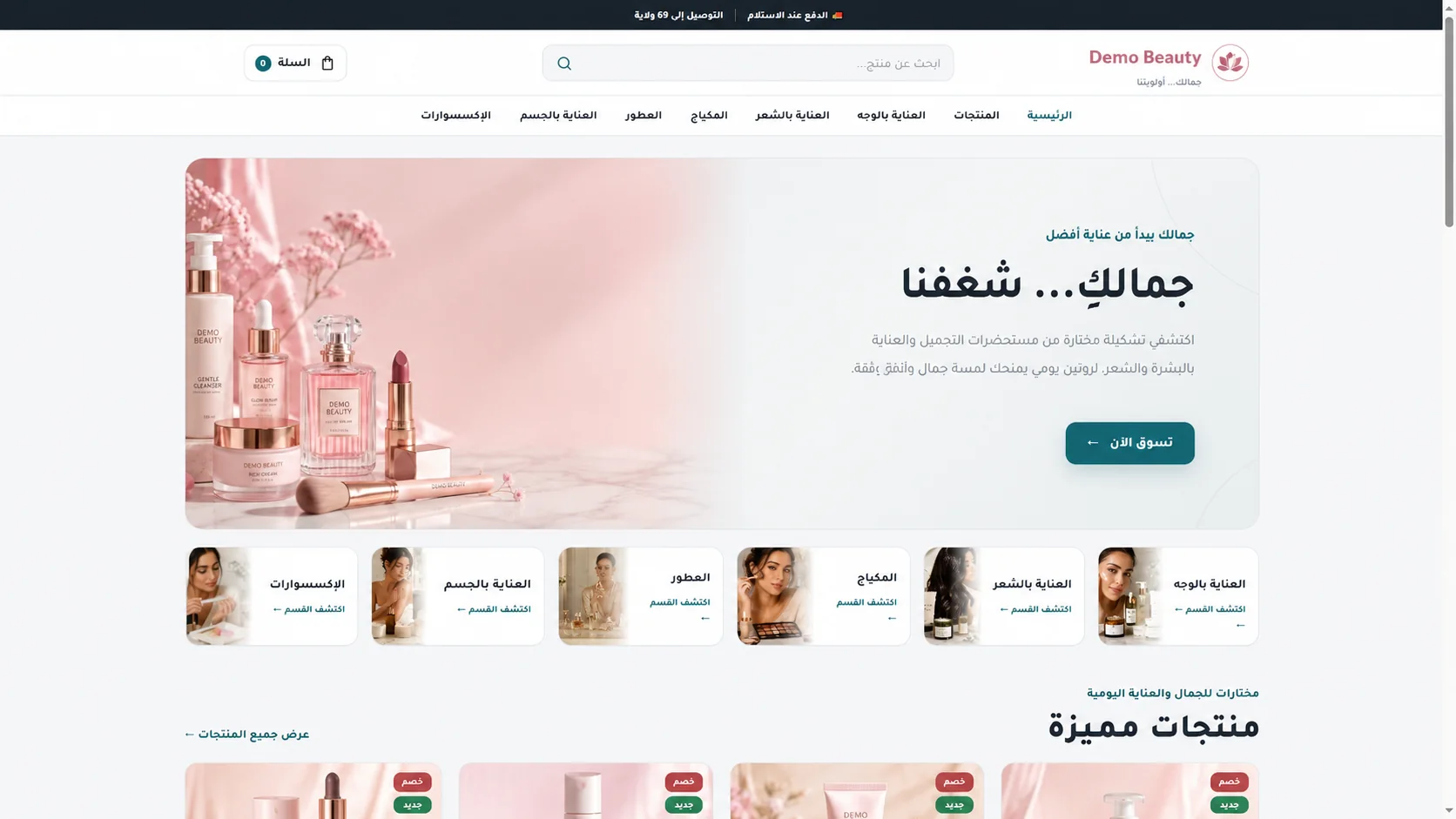
A complete store to present products and receive orders
Give shoppers a clear Arabic-first responsive web experience from discovery to cash-on-delivery order confirmation.

The commerce capabilities merchants use every day
Advanced product management without complexity
Build a structured catalog from Web Admin, from simple products to option combinations, media, inventory and search presentation.
Product types
- Simple product
- Variant product
Variants
- Generic options
- Multiple values
- Combination generation
- SKU
- Stock per combination
- Variant status
- Default variant
Media
- Multiple images
- Primary image
- Reordering and deletion
- AVIF, WebP, JPG and PNG
- MP4 or WebM video from Web Admin
Catalog
- Categories and category image
- Product status and Featured
- SEO and slug
- Search and filtering
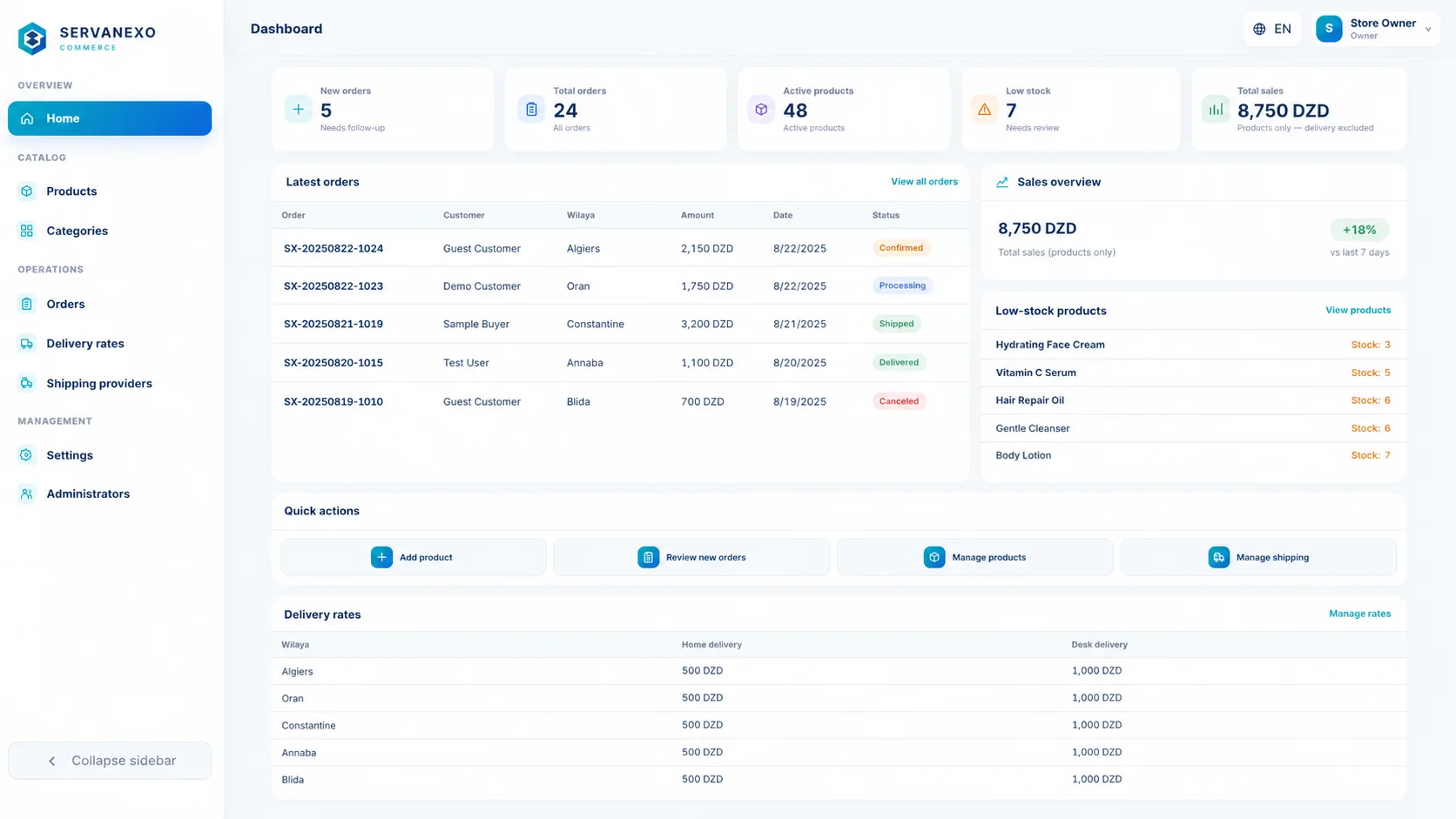
A complete browser-based administration workspace
Use Web Admin for full desktop management, and use SC Manage when working from your phone.
From incoming order to delivery
Review customer, product and total information, then move the order safely through its operational lifecycle.
Connect your store to delivery operations
Set delivery prices manually by Wilaya, or connect a compatible delivery provider account when available.
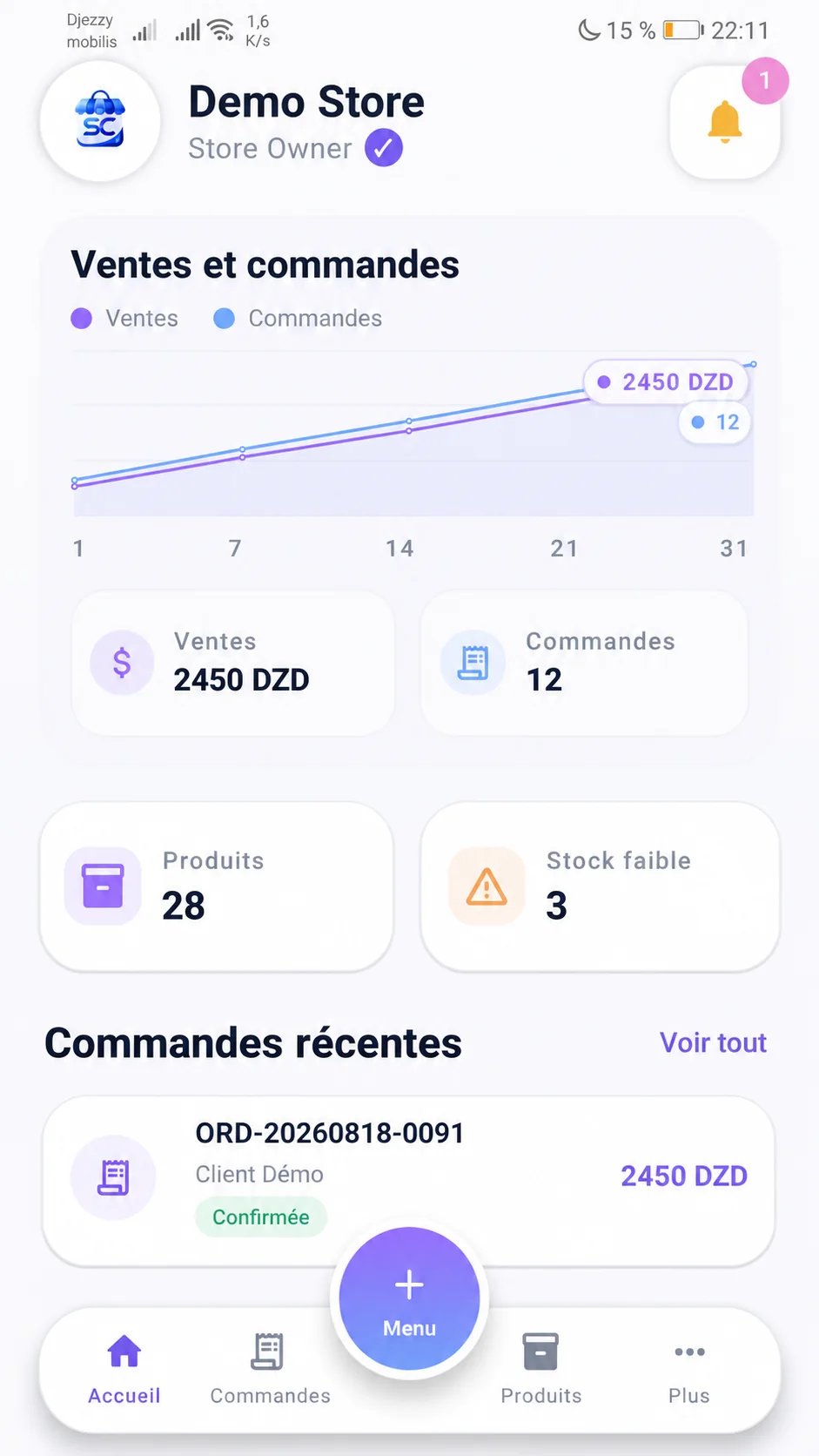
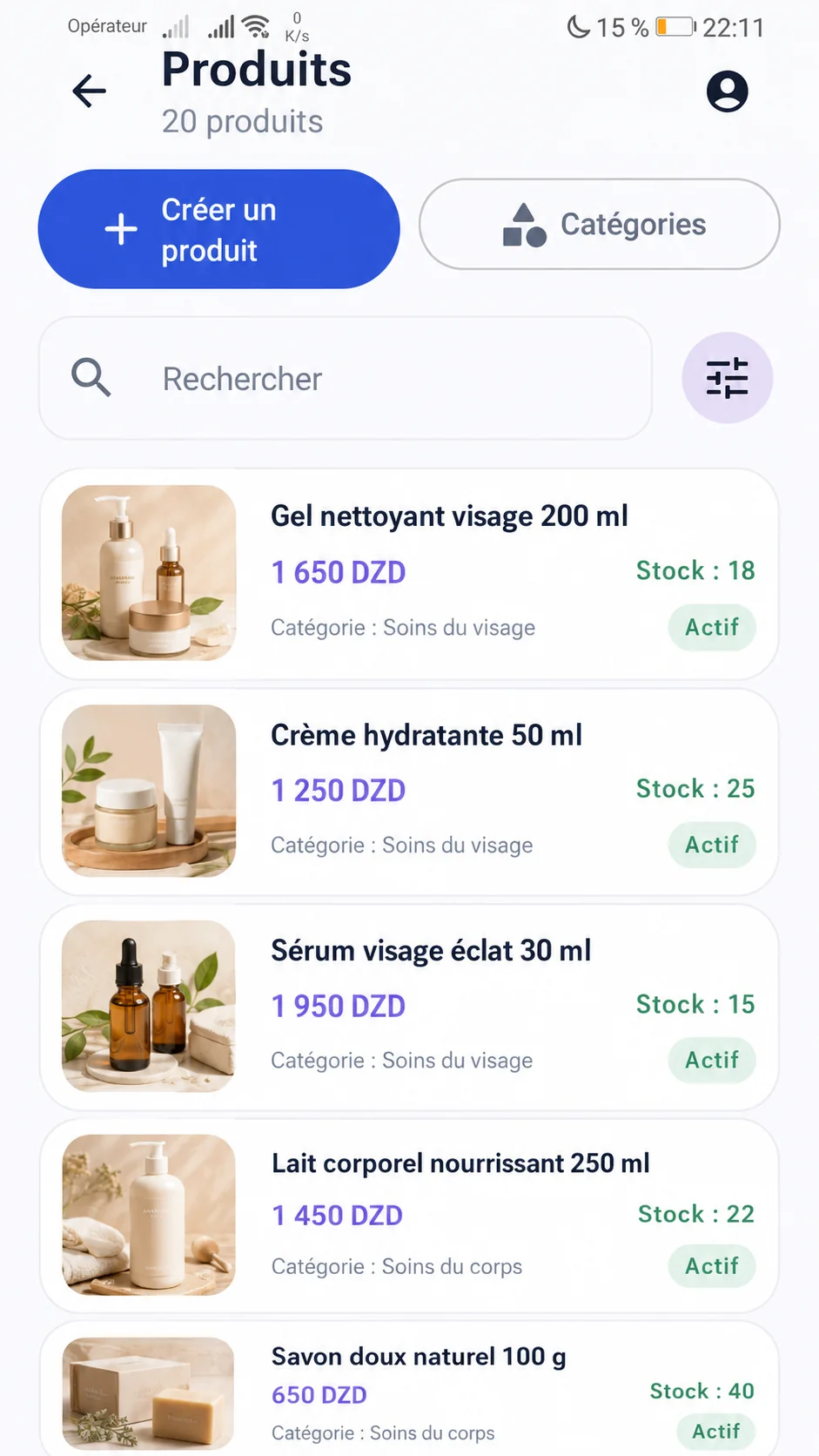
Your store stays with you through SC Manage
Use the official Android application for focused mobile operations while Web Admin remains available for complete desktop management.

Your store is ready for measurement and advertising
Servanexo supports integrations that connect the customer journey, product catalog and campaign attribution when configured.
TikTok
Track the journey from product view to order through TikTok Pixel and Events API when enabled.
Meta / Facebook
Connect Meta Pixel, use server events when configured, and expose your product catalog through a dedicated feed.
Google Analytics and attribution
Understand the order source and campaign when tracking data is available.
SEO foundations built into the store
Control how products and the store are described and shared without any promise of search ranking.
A clear identity for every store
Use a managed Servanexo subdomain or connect a customer-owned domain. Root, www, admin and API routes receive HTTPS after successful validation and provisioning.
Domain purchase depends on provider availability and successful payment.Designed for controlled Store operations
- Logically isolated Store database and runtime
- Verified Store releases
- Health-gated updates
- Rollback path
- Automated Store health checks
- Android Keystore session protection
From account to first orders in four clear steps
Servanexo guides the commercial setup while preserving explicit payment and provisioning states.
Choose the public plan that fits your operation
Prices and availability below come directly from the current Servanexo plan configuration.
Starter
Managed hosting for new independent Commerce stores.
- ✓ Complete Servanexo Commerce included
- ✓ Independent database
- ✓ Unlimited products, categories and orders
- ✓ Managed hosting
- ✓ Free Servanexo subdomain
- ✓ One custom domain
- ✓ SSL
- ✓ Independent database
Business
Managed hosting baseline for active independent Commerce stores.
- ✓ Complete Servanexo Commerce included
- ✓ Independent database
- ✓ Unlimited products, categories and orders
- ✓ Managed hosting
- ✓ Free Servanexo subdomain
- ✓ One custom domain
- ✓ SSL
- ✓ Independent database
Professional
Managed hosting baseline for business-critical independent Commerce stores.
- ✓ Complete Servanexo Commerce included
- ✓ Independent database
- ✓ Unlimited products, categories and orders
- ✓ Managed hosting
- ✓ Free Servanexo subdomain
- ✓ One custom domain
- ✓ SSL
- ✓ Independent database
Practical answers before you create your store
Clear product boundaries, supported workflows and next steps.
Can I create the Store myself?
Yes. Create an account, choose the Store identity and plan, complete the subscription, then add products through Store Admin.
Does the Store work on mobile?
Yes. The shopper Storefront is responsive web with an app-like mobile experience.
Are product variants supported?
Yes. Products can use generic options, values, variants, SKU and stock.
Can I connect my own domain?
Yes, after ownership and DNS validation. A managed Servanexo subdomain is also available.
Is HTTPS supported?
Yes. HTTPS is prepared after successful domain validation and provisioning.
Is SC Manage available?
Yes. The official Android APK is available through /app on servanexo.com.
Which Android versions are supported?
SC Manage 1.8 supports Android 8.0 and later.
How does delivery work?
Configure Wilaya, Commune, Home and Desk pricing. Provider actions are available only when a compatible provider is configured and supports them.
Does Servanexo support TikTok, Meta and Analytics?
It supports integration with TikTok Pixel and Events API, Meta Pixel and Conversions API, Meta Catalog Feed, Google Analytics and UTM attribution.
Does shopper checkout support online card payment?
No. The current Storefront checkout records the order and delivery details; it does not claim online card payment.
Build the Store you can manage every day
Start with your Store identity, then bring products, delivery, domain and daily management into one environment.